How to manually connect DOF motion platforms with Sim Racing Studio
If Sim Racing Studio cannot automatically connect to your DOF Reality platform
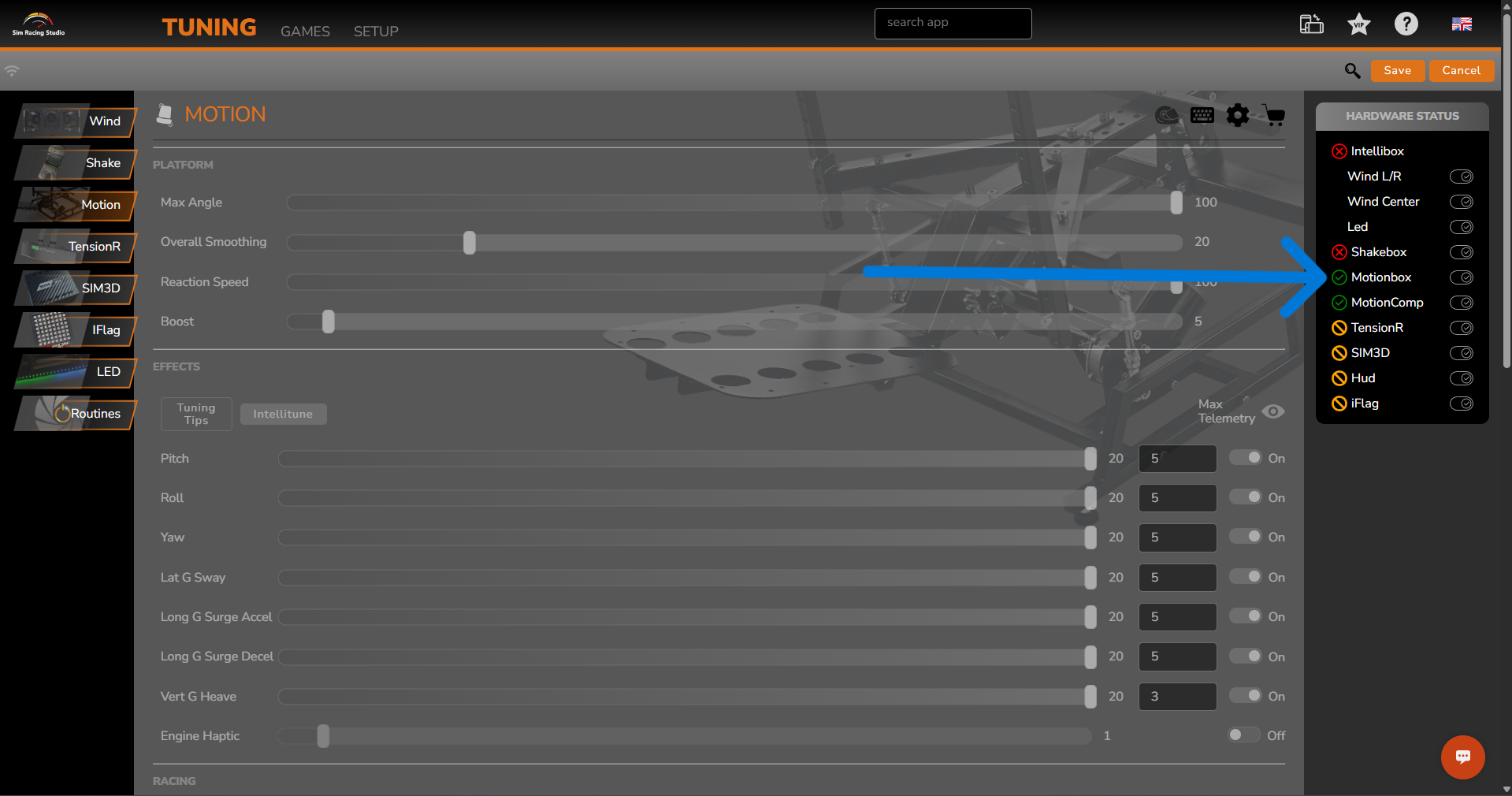
follow these steps:
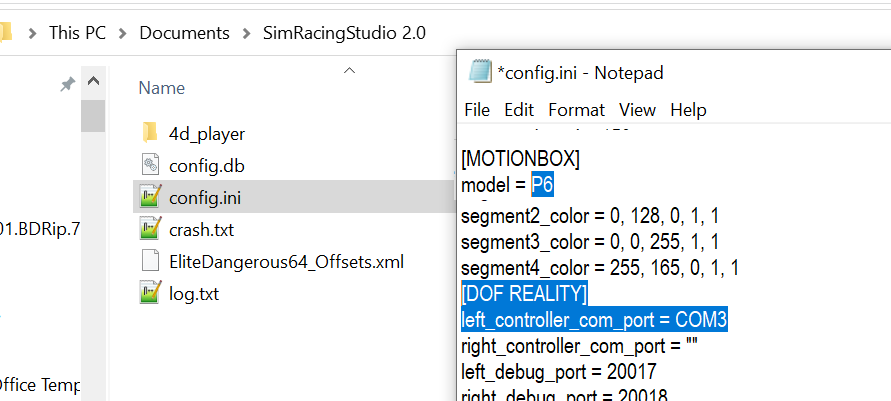
1. Documents → SimRacingStudio 2.0 → edit the “config.ini”:
-
check model under the [MOTIONBOX] section
-
check COM PORT under the [DOFREALITY] section:
-
Ensure you have selected the correct model in the UI and saved it.
-
Hardcode the COM port of your control box:
-
Use left_controller for one STM (M2, MP2, H2, P2, H3, P3).
-
Use left_controller and right_controller for two control boxes (P6, H6).
-
Make sure to use the correct spelling (capital letters, no spaces between COM and the port number).
-
You can find the correct COM port number in Device Manager.
2. Save and close config.ini.
3. Reboot your computer, rig and restart SRS.