*IMPORTANT* Only perform a reflash of the MagicBox if you have been instructed to do so by DOF Reality Technical Support. Contact DOF Reality Technical Support
1. Download and install Etcher:
https://etcher.balena.io/
2. Download the latest version of the MagicBox OS image:
https://drive.google.com/file/d/1WPRCtwXORmOiKsxlOasMxZscIu-Rugk2/view?usp=sharing
3. Insert a microSD from MagicBox into the computer.
4. Copy the license key file “provision.json” from microSD.
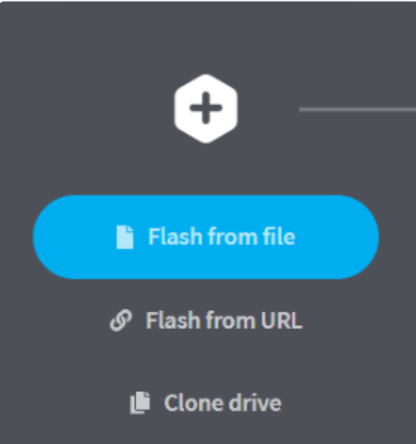
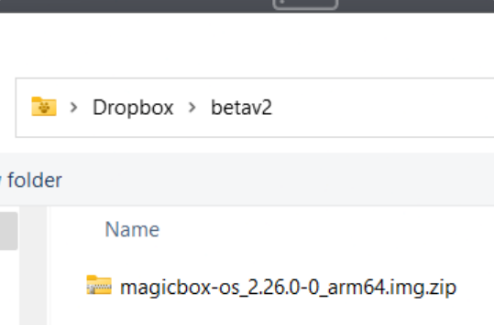
5. Open the BalenaEtched and Click on Flash from File, select the magicbox-os_2.XX.0-0_arm64.img.zip file downloaded the previous step
6. Make sure that the selected microSD card is the one you would like to flash.
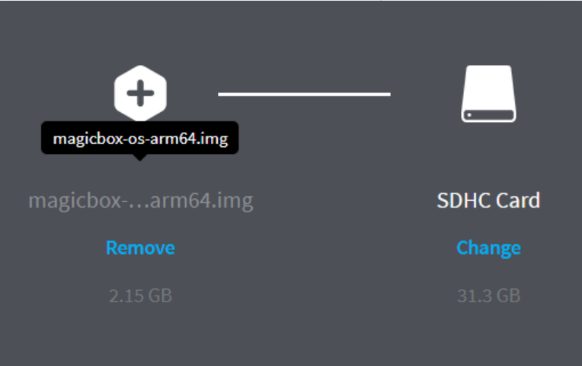
7. Click on Flash.
8. Please wait until you see the message Flash Complete.
9. Place the license key file “provision.json” in the root of the folder on the SD card.